



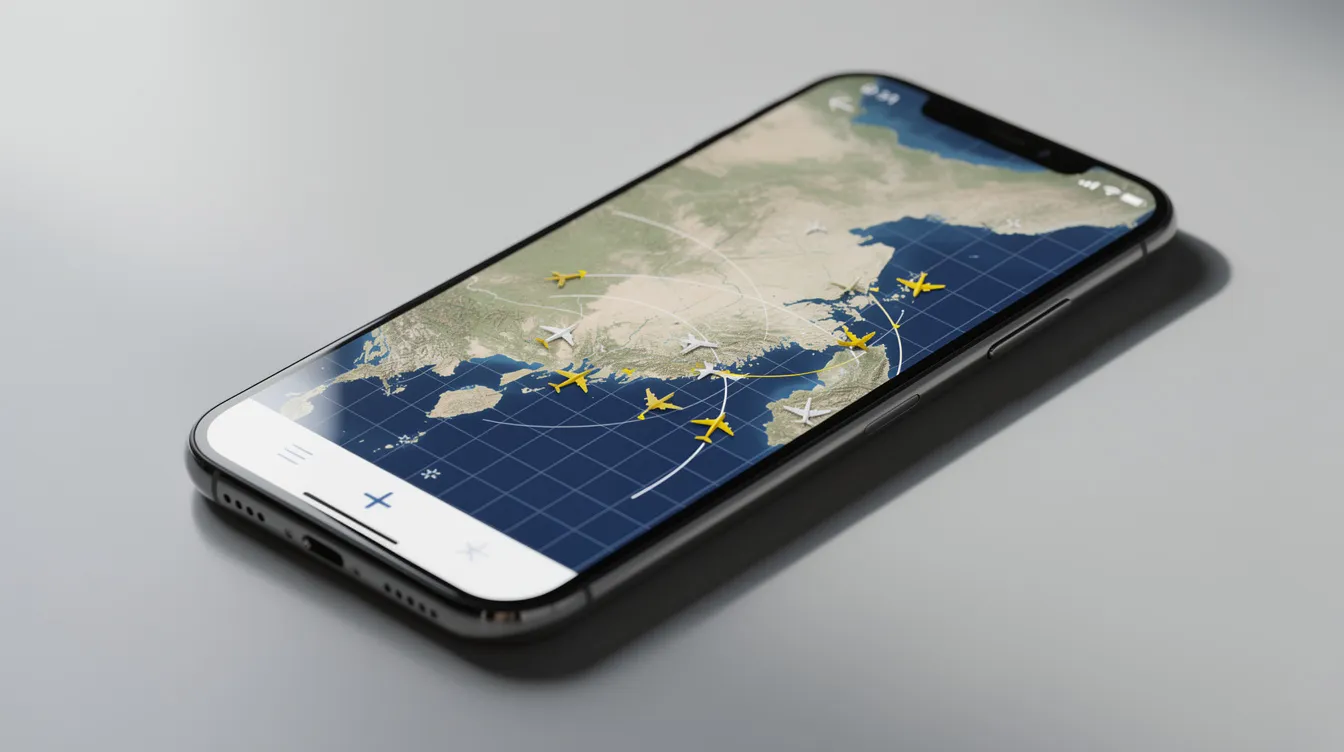
Turn "What's That Plane?" Into Calm Understanding
You hear a low rumble overhead. A white contrail stretches across the sky. Immediately, you wonder: what flight is that, where is it going, and is everything normal up there? An airplane identifier app answers all three questions in seconds, letting you identify flights overhead on a detailed map of nearby flights.
This guide is for travelers, aviation enthusiasts, and anyone curious or anxious about flights overhead.
Many people experience anxiety or fear when flying, and fear of flying affects roughly 25% of adults. For nervous flyers, a flight tracker app is more than a curiosity tool. It is a quiet source of reassurance about air traffic, routing, and turbulence.
SkyGuru approaches flight tracking from a different angle. Instead of pure aviation spotting, it focuses on real-time explanations, anxiety relief, and in-flight guidance for passengers who want to understand what they feel and hear during every stage.
This article explains how airplane identifier apps work, what features to look for, and how combining a tracker with an app like SkyGuru can ease fear of flying.

What Is an Airplane Identifier App?
An airplane identifier app is a mobile application that lets you point your phone toward the sky or open a live map to see which actual aircraft are above you in real time. You can tap any flight to view its flight number, airline, aircraft type, origin, destination, speed, altitude, and sometimes even its serial number or registration.
These apps grew from ADS-B and MLAT tracking networks, first popularized between 2009 and 2012 when aviation enthusiasts began building web-based trackers using volunteer ground receivers. Today, Flightradar24 tracks flights in real time globally; most aircraft are equipped with ADS-B transponders, and Flightradar24 alone operates 50,000 ground stations worldwide to collect positional data from aircraft flying around the world.
Unlike traditional airline status pages that show only your booked flight, identifier apps reveal all air traffic near you. Mobile apps can also offer offline functionality for basic identification, so you can use them even when connectivity is limited.
How Airplane Identifier Apps Work Behind the Scenes
Flight tracking relies on transparent, regulated systems that have been refined over decades. There is nothing secret or unsafe about the technology behind it.
Most modern aircraft transmit positional data using ADS-B (Automatic Dependent Surveillance–Broadcast). Under FAA regulations, aircraft today in controlled airspace broadcast their position, altitude, and speed roughly once every second via ADS-B transponders. A rapidly growing network of ground receivers around the world picks up these signals and feeds them to apps and services.
When aircraft lack full GPS broadcasts, apps like Flightradar24 can calculate positions using multilateration, or MLAT, by comparing signal arrival times at multiple stations. Coverage can vary depending on receiver density. In remote regions or over oceans, satellite-based receivers and ADS-C data fill the gaps, though an expanding number of ground and satellite stations continue to shrink these blind spots each year.
Some aircraft may not appear on your screen: older equipment, military restrictions, or sparse coverage in certain areas. This is normal, not a sign of danger. It simply reflects the pathways flights follow and the technology each aircraft uses.
Key Features You Can Expect in an Airplane Identifier App
The best flight tracking experience comes from apps that share a core toolkit of powerful, easy-to-use features. Here is what the best flight tracker apps typically offer:
-
A live, detailed map showing nearby flights with aircraft moving in real time across your screen
-
Tap any flight to view flight details, including route, speed, altitude, high-resolution photos of the actual aircraft, vertical speed, and estimated time of arrival
-
Speed, altitude, high-resolution photos, and airline liveries displayed together give you a clear picture of individual flights
-
Search by flight number, airline, airport, or route; you can also filter flights by aircraft type or status
-
Tap an airport icon to see detailed airport arrival and departure boards, including current delay stats and actual time comparisons
-
The popular "point your phone at the sky" augmented-reality mode that helps you identify flights overhead, whether you are a curious spotter or an anxious traveler
-
Past flights and flight history tracking; some apps show 7 to 365 days of historical data, often as part of a Silver or Gold plan tier
-
Alerts and notifications when a tracked flight departs, lands, or reaches a certain flight's altitude, useful for meeting relatives or monitoring a nervous flyer's trip
-
Current weather and detailed weather conditions at over 3,000 airports, plus temperature conditions and storm layers on the map
-
Users can set alerts for specific flights in Flightradar24, and the app provides real-time flight data and tracking to over 5 million daily users
History and logging of sightings enable users to track their experiences over time. Some platforms also support user-generated content, allowing sharing and tips among app users. You can even watch playback of recent flights to review how routing or altitude changed. These great features together create a comprehensive flight tracking experience for aviation enthusiasts and nervous travelers alike.
Comparing Flight Tracker Apps vs. In-Flight Companion Apps
Classic flight tracker apps excel at showing what every aircraft sees from outside: air traffic maps, flight status boards, and aircraft details for spotters on the ground. In-flight companion apps like SkyGuru serve a completely different purpose.
Traditional trackers typically do not explain why the plane is turning, why engines sound louder or softer, or what a bump of turbulence means for safety. They show you where aircraft are, but not what you will feel inside the cabin.
Travel tech products like SkyGuru can provide sensory feedback on flight stages. Using sensor data from your phone, SkyGuru detects takeoff, climb, cruise, descent, and landing, then comments in real time on what each sound and sensation means. Apps tailored to flying can help mitigate anxiety about turbulence and flight changes by translating raw flight information into calm, human explanations.
Both tool types work well together. A flight tracker gives you big-picture context about air traffic. SkyGuru gives you moment-by-moment reassurance inside the cabin. For a deeper look at how these tools complement each other, see our guide on the best apps for flying.
Using an Airplane Identifier App to Ease Fear of Flying
Many people install a flight tracker not for fun, but because they feel nervous. Travel anxiety affects 20% of frequent flyers, and understanding flight details can alleviate anxiety for travelers who feel uneasy about the unknown.
The psychology is straightforward: anxiety increases when we do not know what is happening. Seeing dozens of aircraft cruising safely at similar altitudes normalizes the experience. Cognitive-behavioral therapy reduces flying anxiety by 60 to 80 percent, and exposure therapy can help 90% of individuals overcome flight fear. Flight tracking apps function as a gentle form of exposure, letting you observe structured, orderly air traffic.
Tools for managing fear of flying include real-time information, coping strategies, and dedicated apps that support anxious travelers through technology. Coping tools can significantly reduce travel-related anxiety when used consistently.
For example, understanding that a sudden turn is a standard routing change, or that a holding pattern near an airport is common when traffic is heavy, removes the surprise that feeds panic. SkyGuru adds another layer by predicting turbulence areas on your route, explaining why bumps are safe, and offering breathing or grounding techniques. Learn more about how an app can help your fear of flying and explore additional ways an app can help individuals overcome their fear of flying.
The goal is not obsessive monitoring. It is informed reassurance that the aircraft, crew, and systems are operating within normal, highly regulated limits.

Tracking Your Own Flight: Before, During, and After
Following your journey across three phases turns a flight from a blur of anxiety into a structured, understandable experience.
Pre-flight: Check the route and typical air traffic patterns. Look at recent past flights of your flight number to see how often it runs on time. Weather updates can impact flight schedules and travel plans, so reviewing current weather along your route helps set realistic expectations. You can also view detailed airport arrival and departure boards before heading to the gate.
In-flight: Takeoff is the initial phase of a flight. Climb occurs after takeoff as the aircraft ascends. Cruise is the longest phase of a flight at altitude. Descent begins as the aircraft prepares to land. Landing is the final phase of a flight. Understanding each stage removes the surprise from normal sensations. If you have Wi-Fi, a tracker can show your current position and altitude, while SkyGuru provides stage-by-stage explanations of every sound and movement.
Post-flight: Some apps and higher-tier subscriptions preserve flight history so you can review historical data about where turbulence occurred or how routing changed. Minor variations in route, altitude, or arrival times are normal responses to weather and traffic, not signs of trouble.
Free vs. Premium: When Do You Need a "Gold Plan"?
Most people can start with a free app and its free version of basic features. Premium tiers are for deeper aviation interest or professional needs, and Gold upgrade prices vary based on the platform and the current period of your subscription.
Common free features included:
-
Live map for nearby flights
-
Basic aircraft details and flight status
-
Strictly limited past flights history (usually 7 days)
-
Simple search and ability to filter flights
Typical Gold plan or Gold subscription upgrades:
-
Extended flight history up to 365 days
-
Advanced weather layers showing winds, storms, and temperature conditions
-
Aeronautical charts and oceanic tracks showing long-haul routes
-
All the above features plus the ability to track flights with richer data
-
A free trial is often available before committing to app purchases
Regular bug fixes and performance improvements keep these apps reliable. Costs vary depending on the platform, and some features are available only during the current period of a paid subscription. All the features in premium tiers are designed for spotters, researchers, or industry professionals. The free version, however, covers what most casual users need.
For anxious passengers, the main "upgrade" is not more raw data. It is more context. SkyGuru provides expert explanations, turbulence forecasts that help predict in-flight conditions, and coping strategies. Many trackers note their data is for entertainment purposes and specifically excludes activities like operational decision-making, while SkyGuru focuses squarely on passenger wellbeing. Turbulence prediction is crucial for flight safety management, and real-time turbulence data enhances passenger comfort during flights.
Privacy, Data, and Safety Considerations
Some users worry about how location data and device identifiers are handled. It is a fair concern.
Certain trackers collect data that may be linked to you or used across apps and websites. Check each app's privacy policy, opt out of ad tracking where possible, and review permissions like precise location or background activity. Be aware that some apps log incidents resulting from data-sharing practices that users may not expect.
ADS-B transmissions from aircraft are public by design. Viewing this data does not affect flight safety. The systems pilots and air traffic controllers use are independent and professionally regulated. Having or not having a flight tracker installed has zero influence on turbulence, weather, or operational decisions made by crews.
Frequently Asked Questions (FAQs)
What is an airplane identifier app?
An airplane identifier app is a mobile tool that lets you identify flights overhead in real time. You can see details like flight number, aircraft type, origin, destination, altitude, and speed by pointing your phone at the sky or using a live map.
How do airplane identifier apps get flight data?
These apps use data from ADS-B transponders on aircraft, which broadcast positional information. Ground stations and satellites collect this data and feed it to the app, allowing you to track flights globally.
Can airplane identifier apps help with fear of flying?
Yes. Seeing real-time flight data and understanding what is happening around you can reduce anxiety. Apps like SkyGuru complement trackers by explaining in-flight sensations and turbulence, helping nervous flyers feel calmer.
Do I need to pay for a flight tracker app?
Most apps offer free versions with basic tracking features. Premium subscriptions unlock advanced features like extended flight history, detailed weather layers, and 3D flight views. For casual users, free versions usually suffice.
Are airplane identifier apps safe and private?
Yes. The positional data from aircraft is public by design and does not affect flight safety. However, review app privacy policies regarding your location data and permissions before use.
Can I use airplane identifier apps without internet?
Some apps offer offline modes for basic identification, but full real-time tracking typically requires an internet connection. SkyGuru works offline for about 95% of its features, making it reliable even with spotty Wi-Fi.
How accurate are flight tracker apps?
Accuracy depends on the density of ground stations, aircraft equipment, and coverage area. Most flights appear in real time, but some military or older aircraft may not show. Coverage is best over populated regions and airports.
What’s the difference between a flight tracker and SkyGuru?
Flight trackers show you where planes are and their flight details. SkyGuru focuses on the passenger experience inside the cabin, explaining sensations, noises, and turbulence with calming, expert guidance.
How SkyGuru Complements Your Favorite Flight Tracker App
Many SkyGuru users also keep a standard flight tracker app on their phone. The two tools play different but complementary roles. A tracker shows you the best flight-tracking view of what the aircraft sees and where it is headed. SkyGuru tells you what you will feel, hear, and experience inside the cabin.
SkyGuru adds real-time commentary about noises, seat belt signs, banking turns, and altitude changes, all translated into simple language for nervous flyers. It uses your specific route and forecast data to anticipate bumpy areas. Turbulence can occur unexpectedly during flights, but knowing about it in advance keeps your nervous system calmer.
Sensor-based detection lets SkyGuru identify rotation at takeoff, rate of climb, cruise, and descent, then offer step-by-step guidance for what to expect next. Around 95% of its features work offline, so inconsistent cabin Wi-Fi is rarely a problem. With over 200,000 users worldwide, SkyGuru has helped travelers who once dreaded boarding find genuine calm. Download it free today before your next trip, enter your flight details, and use it alongside your usual tracker to feel more in control. Visit our FAQ for setup tips.
Flying becomes less stressful when you understand what is happening around you and inside the cabin. Knowledge creates calm. Predictable explanations soothe the nervous system. Combining an airplane identifier app with SkyGuru's expert insight can transform uncertainty into quiet confidence, one flight at a time. Learn more about turbulence prediction, fear of flying, and flight anxiety help to enhance your flying comfort. Check out our best apps for flying to see how SkyGuru complements other travel tech tools.
FLEET SELECTION
JET CARDS
COST ANALYSIS


How to Auditing Your Operator's Maintenance Logs
Oct 05, 2025

How to Auditing Your Operator's Maintenance Logs
Oct 05, 2025

How to Auditing Your Operator's Maintenance Logs
Oct 05, 2025
Sky Guru Weekly
The smartest private aviation intelligence in your inbox.
.svg)

